
Spot · Log · Collect
The plane spotting logbook.
Punch in a tail number and AVSpot works out the aircraft type and airline for you. Each spot lands in your own Hangar, a running collection of every aircraft you've caught.
Available for iPhone, iPad and Android, and in your browser.

Made for the fence line
You shouldn't miss the next arrival because you were still filling in the last one.
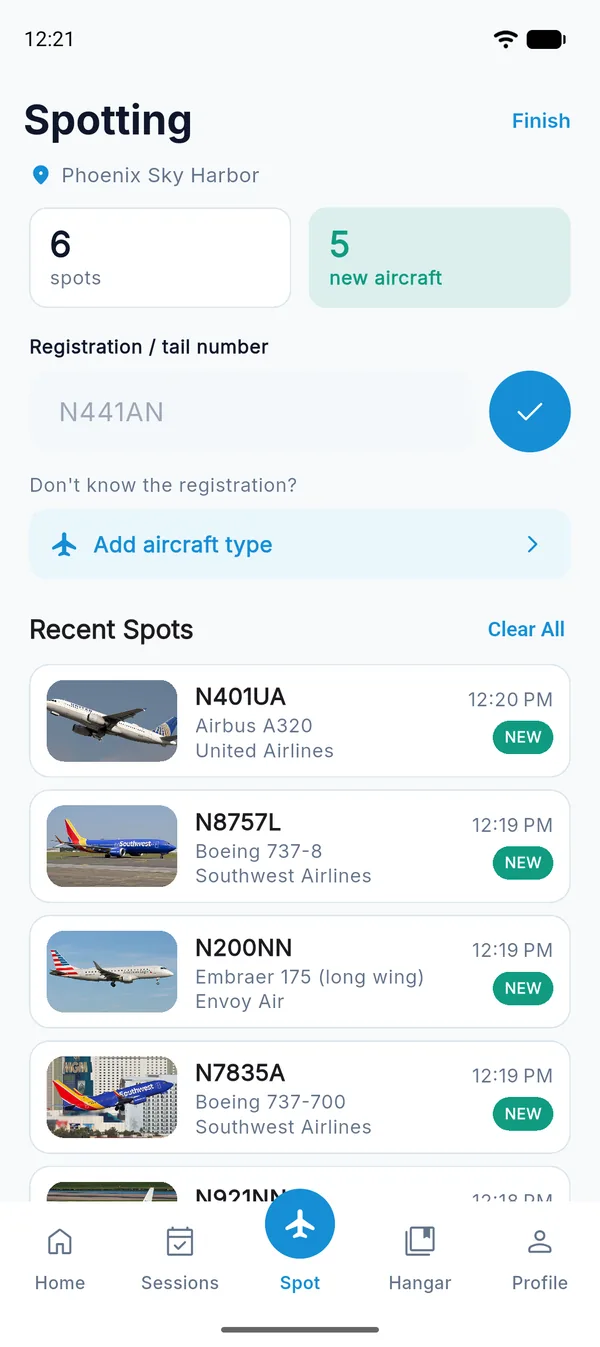
Log it before it's out of sight
Start a session at the airport, type the registration, tap the check mark, and you're done. The counter keeps score of today's spots and how many of them are new to you.
If you couldn't read the tail, log the aircraft type on its own.
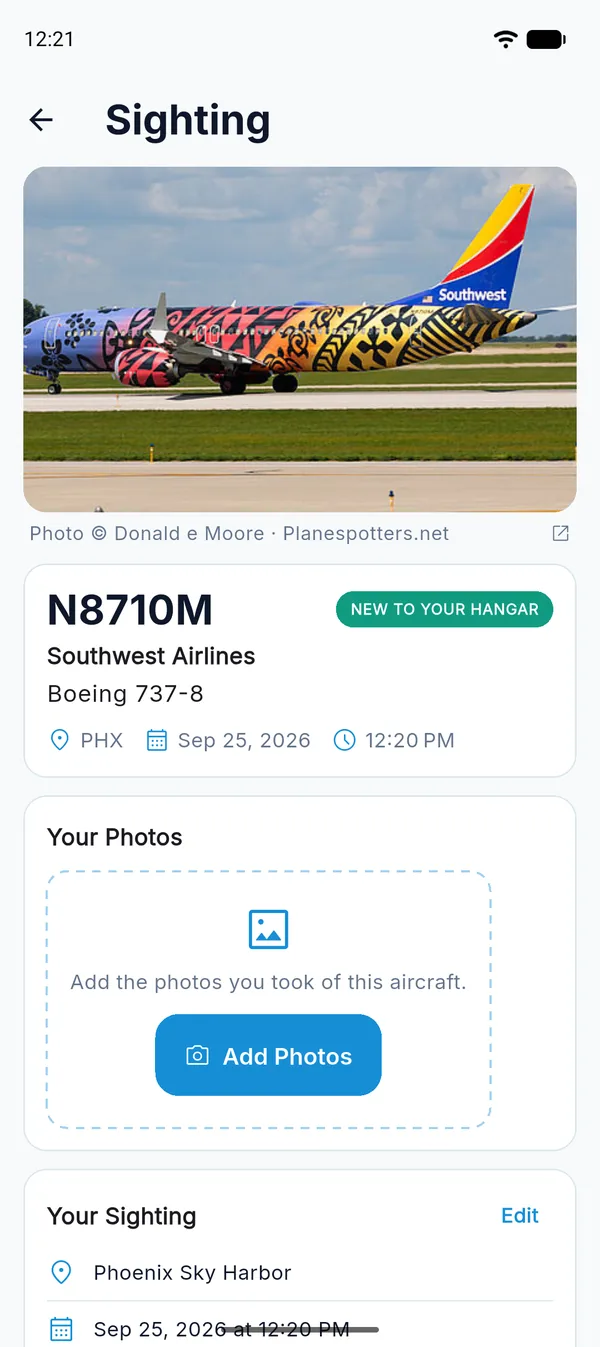
Type a reg. AVSpot knows the plane.
AVSpot finds the aircraft type and operator for each registration and pulls in a photo of that exact airframe when one is available. Where and when you saw it are stored alongside.
You can also look up which flight the aircraft was flying at the moment you spotted it.
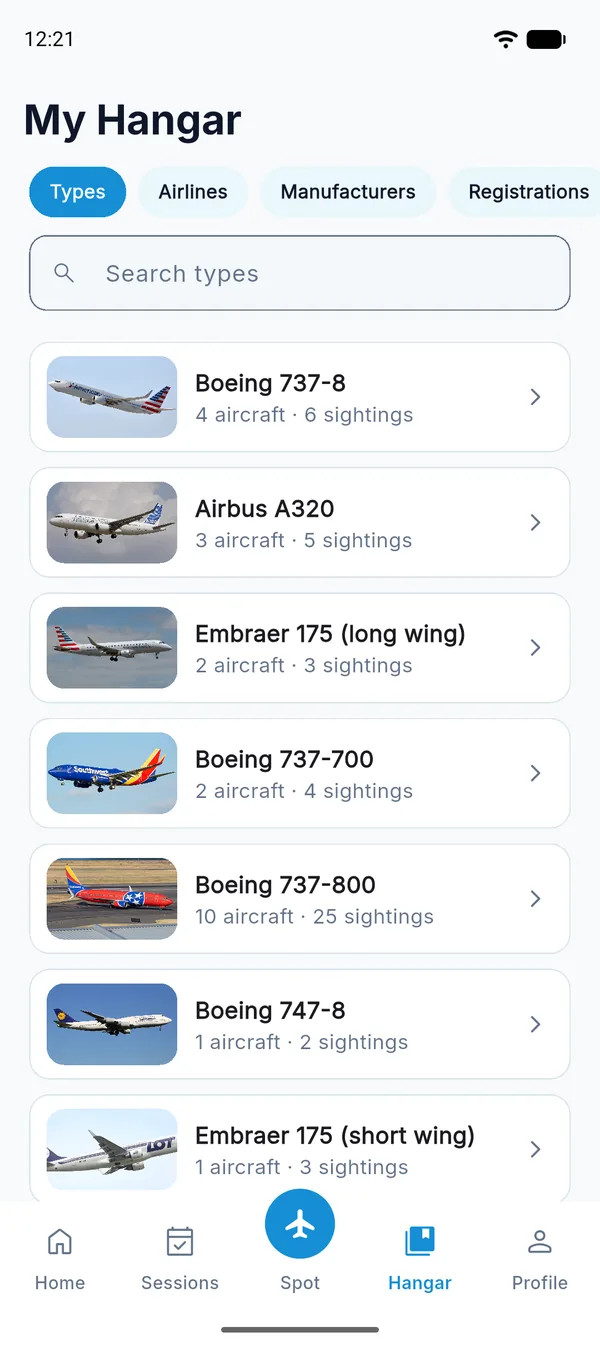
Watch your collection grow
Browse everything you've spotted by type, airline, manufacturer or registration. A first-time catch gets a "new" badge, so the rare ones stand out.
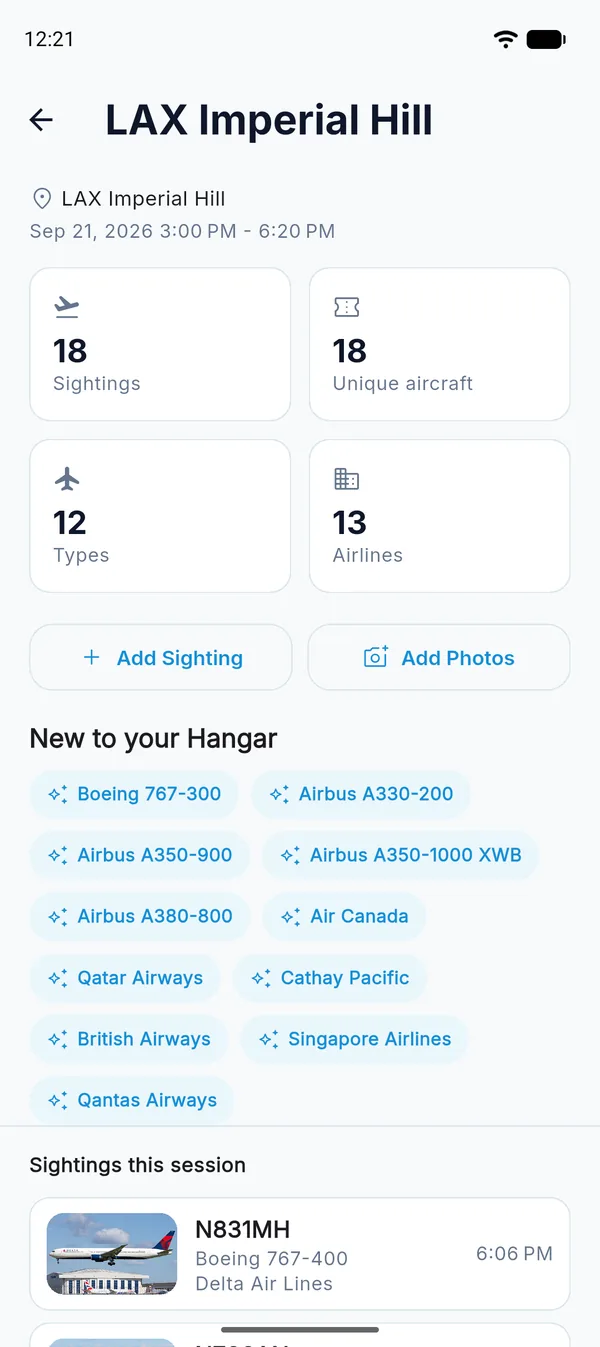
Every outing, summed up
At the end of each session you get a recap: total sightings, unique aircraft, types and airlines, and everything that was new to your Hangar.
More to your logbook
For everything that happens after you get home.
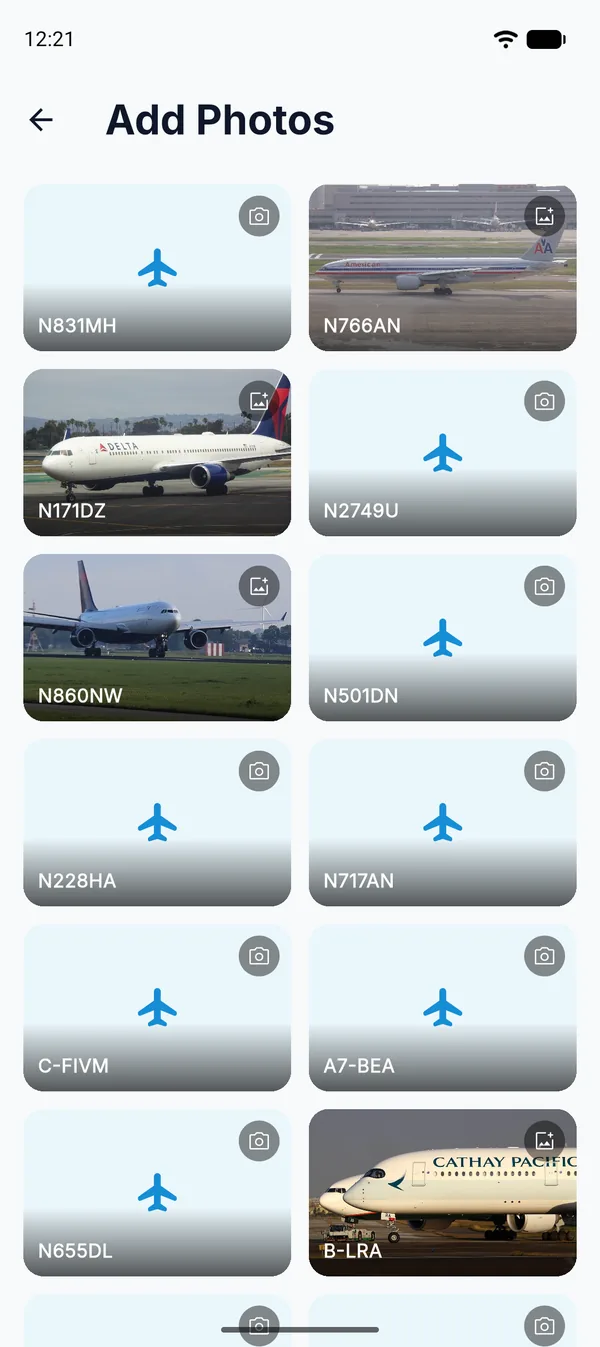
Add your photos later
Log now, then match your camera shots to the aircraft once you're back at your desk.
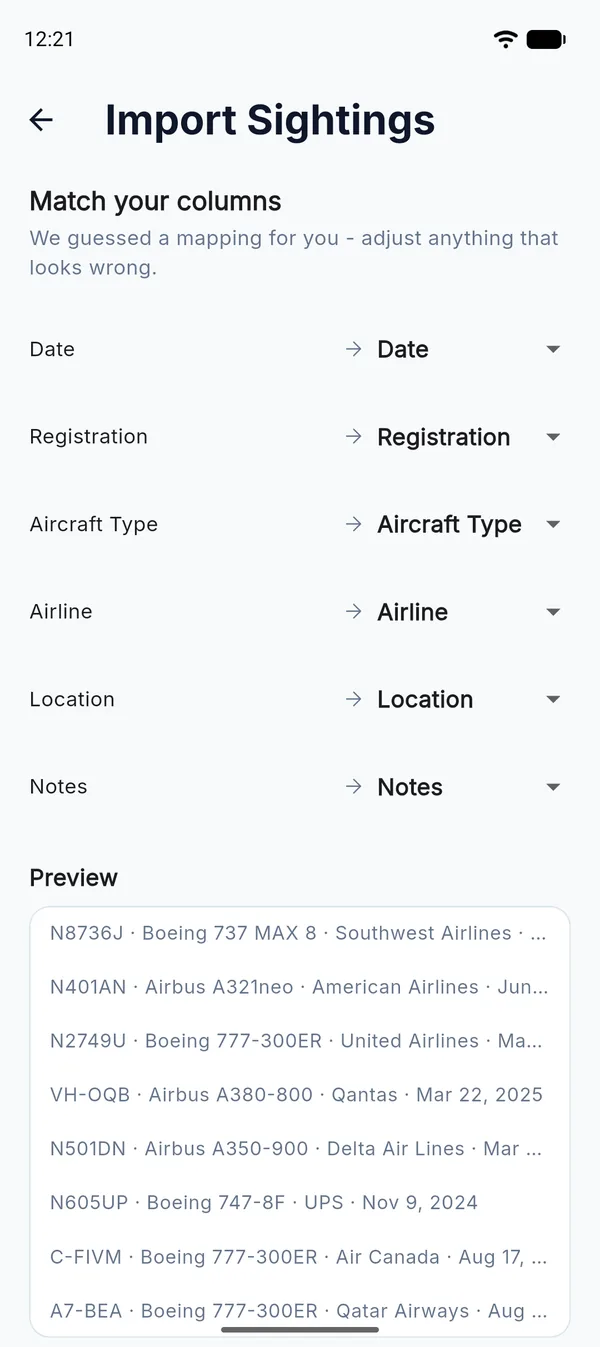
Import your old logs
Bring in a CSV from a spreadsheet or another app. AVSpot guesses which column is which, and you can fix any it gets wrong. How to import a spreadsheet
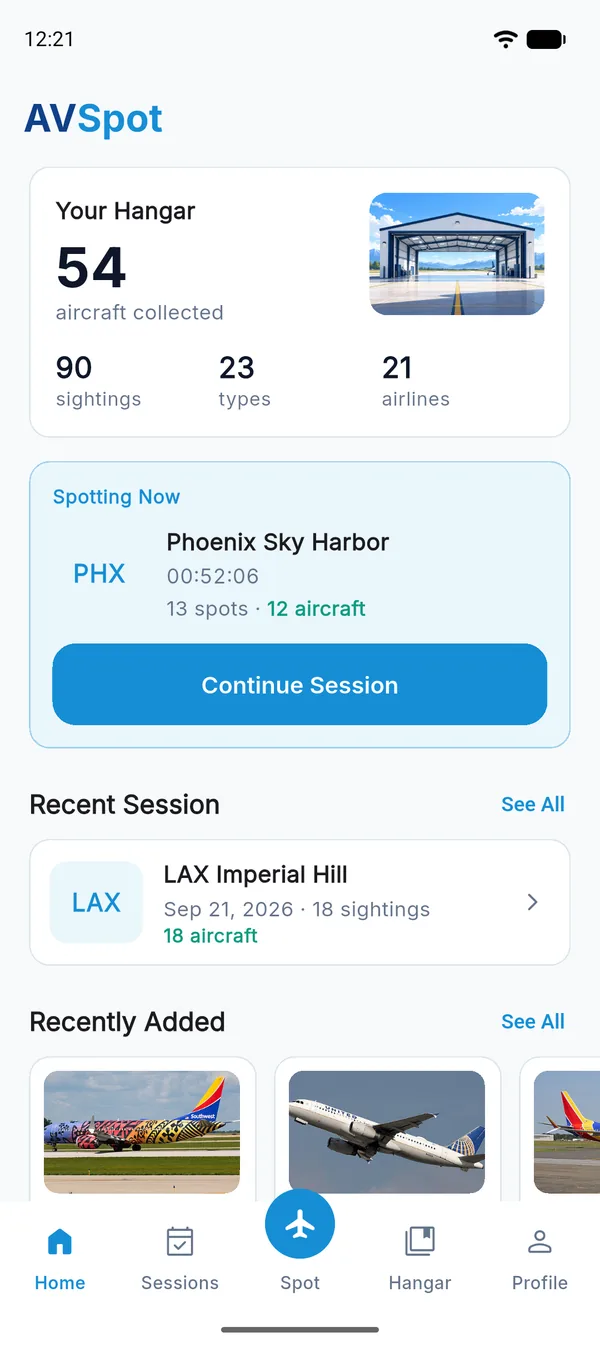
Your whole history, in one place
Your totals, recent sessions, and every spotting location you've saved, each on its own map.
Guides: Plane spotting at Phoenix Sky Harbor · Import a spreadsheet log
Your logbook stays yours
Other people can't see what you log.
Private by default
Only your account can see your sightings, sessions, photos and saved locations.
Location only when you log
AVSpot records where you are at the moment you log a spot, and never follows you in the background.
Delete it all, anytime
You can delete your account from Settings. That erases every sighting, photo and location you've stored.
Ready for the next arrival?
Get AVSpot on the App Store or Google Play, or start logging in your browser today.